Deprecated: Implicit conversion from float 2168.2999999999997 to int loses precision in /www/sites/xyg688.com/index/wp-content/plugins/wechat-social-login/includes/class-xh-session-handler.php on line 283

Deprecated: Creation of dynamic property Free_Comments_For_Wordpress_Vuukle_Public::$settings is deprecated in /www/sites/xyg688.com/index/wp-content/plugins/free-comments-for-wordpress-vuukle/public/class-free-comments-for-wordpress-vuukle-public.php on line 142

Deprecated: Creation of dynamic property Free_Comments_For_Wordpress_Vuukle_Public::$app_id is deprecated in /www/sites/xyg688.com/index/wp-content/plugins/free-comments-for-wordpress-vuukle/public/class-free-comments-for-wordpress-vuukle-public.php on line 142
十字军之王3 Crusader Kings III 东方王朝MOD-PC软件下载,安卓软件下载,单机游戏下载,破解游戏下载,小妖怪分享网 xyg688.com

十字军之王3 Crusader Kings III 东方王朝MOD

十字军之王3 Crusader Kings III 东方王朝MOD插图

东方王朝MOD

使用方法:

1.解压,将解压出来的.mod文件和与之配套的文件夹复制到 我的文档 Documents\Paradox Interactive\Crusader Kings III\mod\文件夹中,如果没有mod文件夹,就自己新建一个

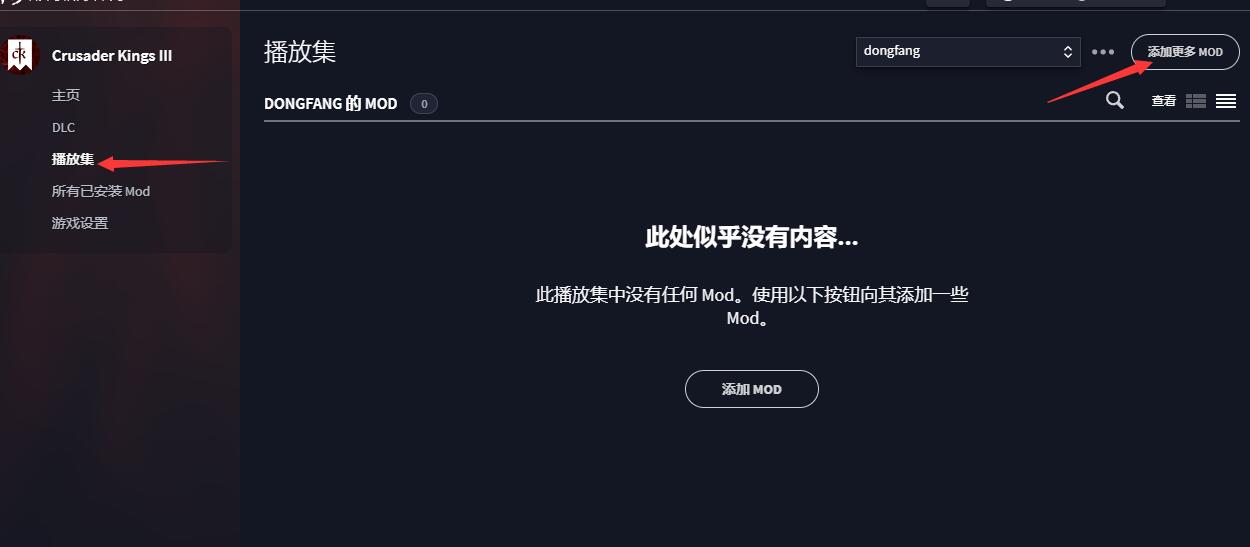
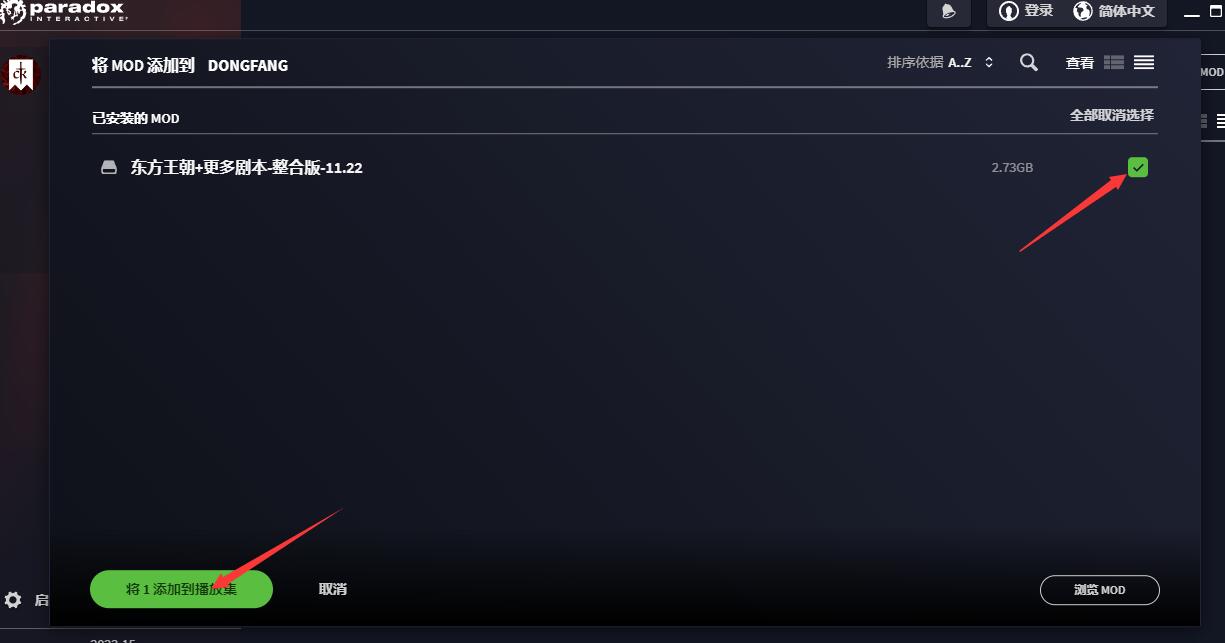
2.运行游戏目录里的\launcher\dowser.exe启动器,选“ 播放集”>右上角“ 添加更多 MOD”>“选择MOD并添加到播放集。

如果没有播放集就自己在首页 新建一个

十字军之王3 Crusader Kings III 东方王朝MOD插图1

十字军之王3 Crusader Kings III 东方王朝MOD插图2

十字军之王3 Crusader Kings III 东方王朝MOD插图3

十字军之王3 Crusader Kings III 东方王朝MOD插图4

注意:如果运行dowser.exe提示steam连接失败,用记事本打开launcher-settings.json,然后将 "distPlatform": "steam",改为"distPlatform": "gog",

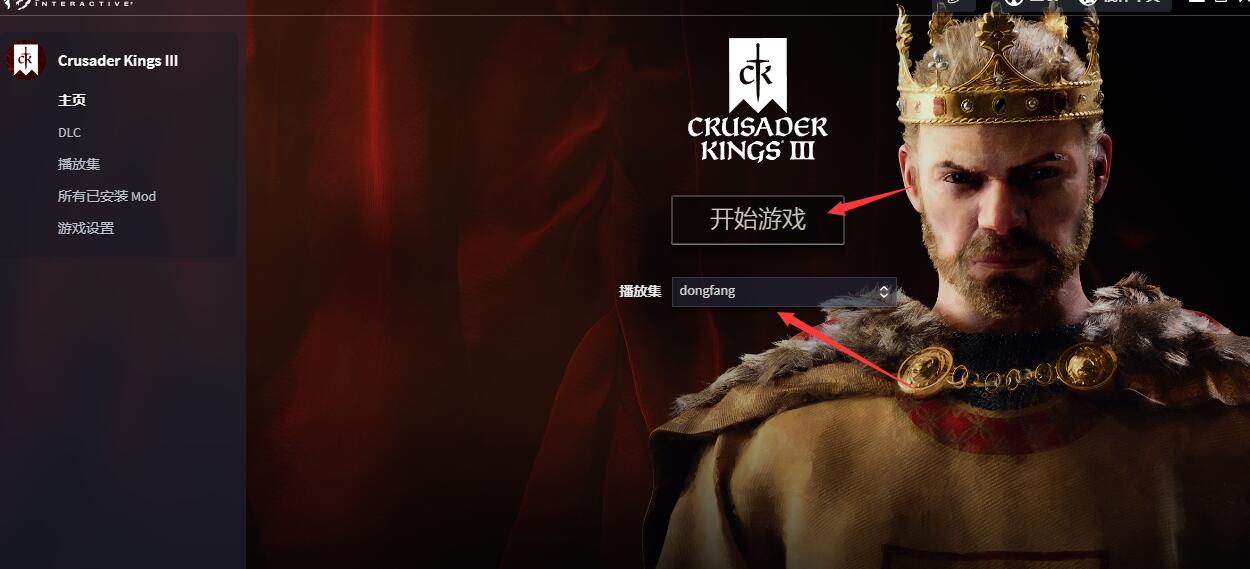
3.返回播放集 选择添加的mod播放集,然后启动游戏

2 条评论

加载评论中...